 doDev – Admin & Dev Toolkit for Salesforce
How to find where a field is used in Salesforce
Short answer: Salesforce’s Where is this used? button on a custom field lists many references, but not all of them – Apex that builds field names as text, reports, list views and several other places are easy to miss. doDev, a free Chrome extension, searches the places you choose and shows each reference with the line that matches.
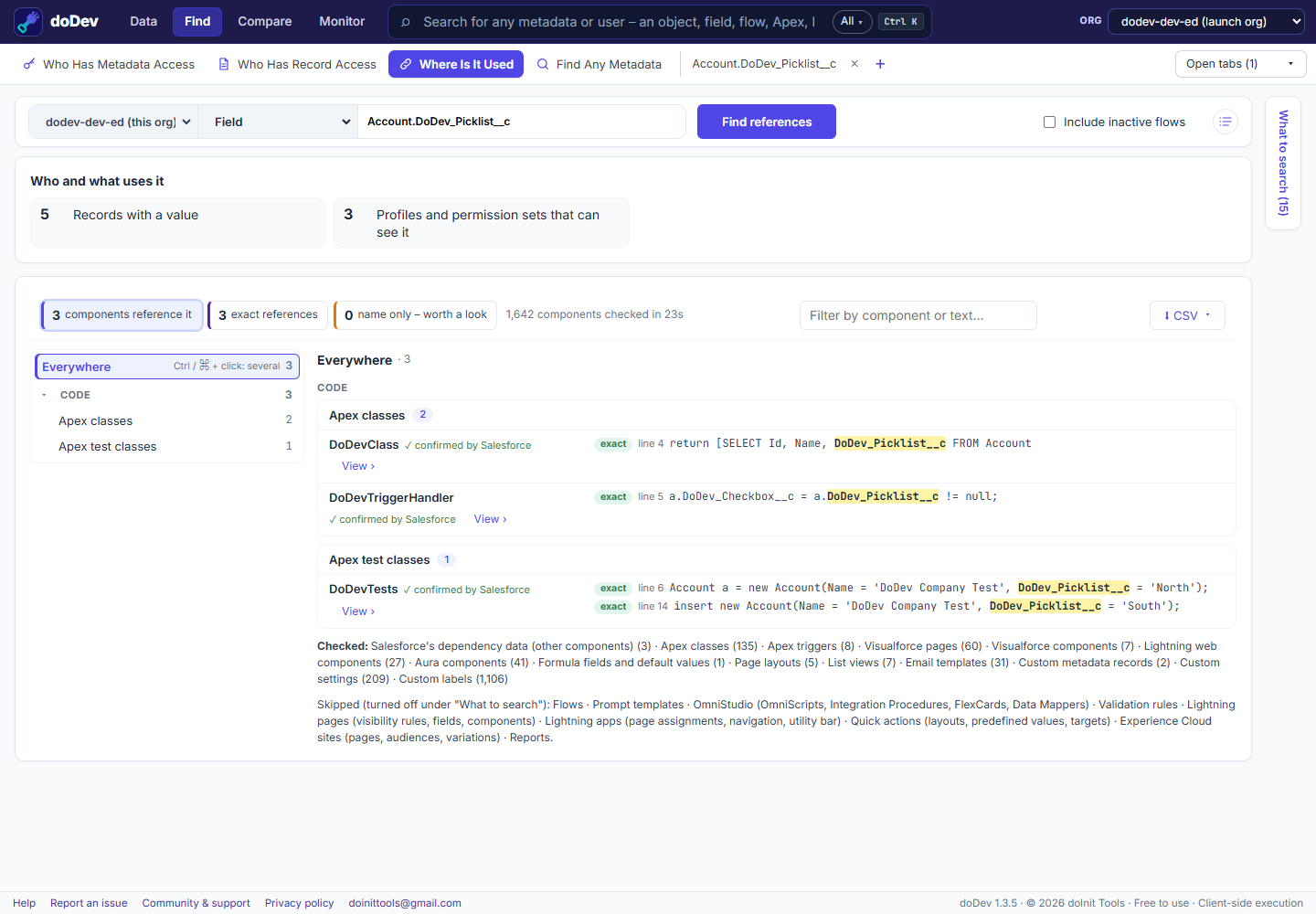
Find the references with doDev
- Install doDev and open it from the toolbar while you are logged into Salesforce.
- Go to Find → Where Is It Used.
- Choose Field and type it, e.g.
Account.DoDev_Picklist__c. It also works for objects, profiles, roles, groups, permission sets, Apex classes, labels, custom permissions, record types or any text. - In What to search (on the right), check the places – Apex, triggers, Visualforce, Lightning components, formulas, page layouts, list views, email templates, custom metadata and more. The slower ones, such as flows, validation rules and reports, can be added too.
- Click Find references.
You get:
- Who and what uses it – e.g. how many records have a value, and how many profiles and permission sets can see the field.
- Each reference with its line and the match highlighted, marked exact or name only (a match on the name that may be something else).
- View › to open the component.
Before you delete a field
- Check the references above – code and formulas will stop the deletion, but reports, list views and integrations won’t.
- Look at how many records have a value: deleting the field deletes that data (it can be restored for 15 days).
- Search the field’s API name in your integrations and external code too.
More how-to guides: all guides · doDev help