 doDev – Admin & Dev Toolkit for Salesforce
How to query Salesforce data without writing SOQL
Short answer: reports need a report type and list views show one object, so for anything ad hoc admins end up writing SOQL in the Developer Console. doDev, a free Chrome extension, builds the query for you: pick an object, check the fields – including fields of parent records and related lists – and run.
Query with doDev
- Install doDev and open it from the toolbar while you are logged into Salesforce.
- Go to Data → Data Explorer and type the object, e.g. Account. A starter query appears.
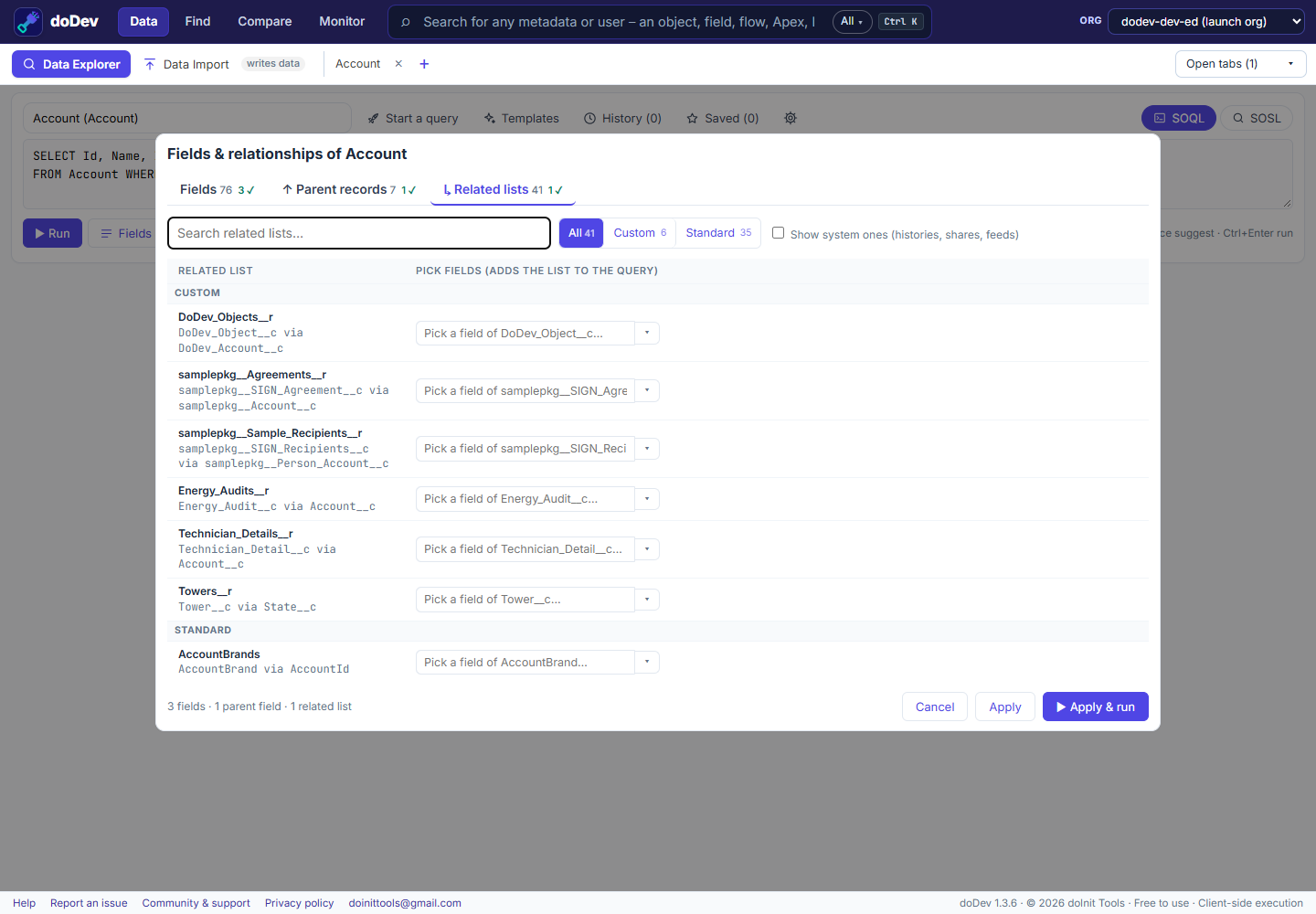
- Click ☰ Fields & relationships… and check the fields you want. A lookup such as Owner shows its fields, and Go further reaches its own lookups (Owner › Manager). A related list such as Contacts adds a subquery when you check one of its fields.
- Click ▶ Apply & run.
You can also:
- Start from a list view, a report or a record, or paste a list of Ids or names.
- Write SOQL yourself – the editor suggests objects, fields, relationships, picklist values and date literals as you type (Ctrl+Space).
- Filter the results as you type, sort and resize columns, and narrow by related records (With Contacts / Without Contacts).
- Export to Excel, CSV or JSON – copy or download.
- Save queries you use often; your last 100 are kept in History.
Doing it without a tool
- Reports – good for business users, but each needs a report type that includes the objects you want.
- Developer Console → Query Editor – write SOQL by hand; no suggestions for field names.
- Salesforce CLI –
sf data query --query "SELECT …"for scripts.
Common questions
Can it change data? Data Explorer only reads. To update the records you found, send them to Data Import – it shows a preview and asks before anything is saved.
Does it work with large results? Yes – it keeps loading past 2,000 rows, and exports have every loaded row.
More how-to guides: all guides · doDev help